How to Capture Delivery Location with a Map in Shopify store
$14.99
999999 in stock
Description
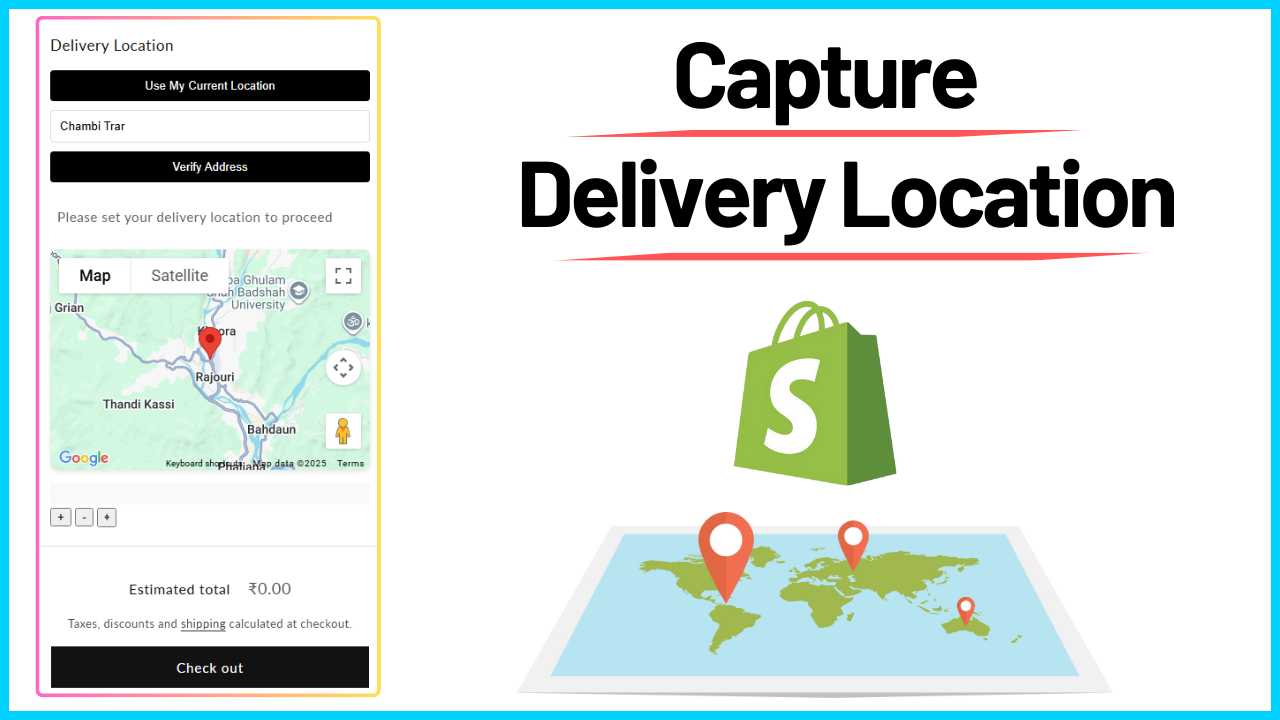
Ensure accurate deliveries and enhance customer experience with a delivery location map on your Shopify cart page. This ready-to-use code snippet allows customers to select their exact delivery location before checkout, reducing errors and saving time for your delivery team—without using any app or coding.
Why Add a Map to Your Shopify Cart Page:
- Better Accuracy: Customers drop a pin or use GPS to provide the exact delivery location, avoiding mistyped or incomplete addresses.
- Enhanced Customer Experience: Faster and more convenient than typing addresses manually.
- Saves Time for Delivery Teams: Drivers spend less time locating delivery points, improving efficiency.
- Ideal for Local Businesses: Perfect for restaurants, grocery stores, pharmacies, and same-day delivery services.
How It Works for Customers:
- Add items to the cart.
- View an embedded map on the cart page.
- Tap “Use My Current Location” for GPS auto-detection, or drop a pin on the map to select a custom location.
- The selected location is passed along with the order for smooth, accurate delivery.
Businesses That Can Benefit:
- Food Delivery Services: Restaurants and cafés offering doorstep delivery.
- Grocery Stores: Local supermarkets with home delivery options.
- Pharmacies: Medical deliveries requiring precise addresses.
- Furniture & Appliance Shops: Larger deliveries where exact drop-off points matter.
Make your Shopify store more professional, efficient, and user-friendly with this delivery location map code snippet. Buy today and ensure every delivery reaches the right location!